

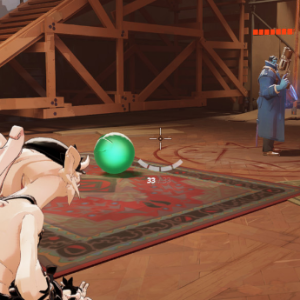
Similiar games



Deadlock mods are player-made modifications that change how the game is presented or managed on a local system. These modifications are created outside of the official development process and are installed manually by users. In most cases, mods do not alter match rules, character balance, or server-side systems. Instead, they focus on client-side adjustments that affect visuals, interface behavior, or sound output. This approach allows players to personalize their experience while still participating in standard multiplayer matches.
Scope Of Modding
The scope of modding in Deadlock is limited by the competitive nature of the game. Since matches rely on shared rules and synchronized systems, most mods are designed to avoid any influence on gameplay outcomes. Mod creators generally work within these limits and focus on changes that improve clarity or comfort. This includes adjustments that make information easier to read, reduce visual clutter, or reorganize interface elements. As a result, mods function as optional enhancements rather than required tools.
Mod Categories And Use Cases
Deadlock mods can be grouped by the type of changes they introduce. These categories reflect common player needs and are usually compatible with each other if they do not overwrite the same files. Typical mod categories include:
- Interface mods that reposition or resize HUD elements
- Visual mods that adjust textures, colors, or models
- Audio mods that replace effects or notification sounds
- Menu mods that simplify navigation or layout
- Accessibility mods that improve contrast or scaling
These mods are used to adapt the game to different preferences, displays, or hardware setups.
Installation And Version Control
Installing mods for Deadlock usually involves manual file placement. Players must locate the game directory and place mod files in specific folders so the game can detect them during startup. Some mods require configuration changes to enable custom content loading. Because the game is updated regularly, mods may become incompatible after patches. Players often monitor mod pages for updates or remove mods temporarily until compatibility is restored. Backing up original files is a common practice to avoid issues.
